
Google has been pushing AI and machine learning (ML) at Google I/O since 2016 and we’ve seen several impressive products emerge that leverage these technologies, in particular Google Photos with its image classification and facial detection features, and Google Home with its natural language processing.
I’ve had a lot of fun playing with ML tools like Actions for Google Assistant/Google Home, re-trained the Inception V3 image classification model to recognise ID documents and even built a Tensorflow model from scratch using analytics data to predict user behaviour. But each time I’ve had trouble getting past the proof-of-concept stage and to the point where real-world ML solutions make sense and can be used reliably in production.
In February ARcore was released, which uses advanced computer vision and sensor algorithms to map 3D spaces to virtual objects without the need for specialised hardware (RIP Project Tango and its IR-enabled devices). It was fun for a while to place virtual objects like Storm Troopers around the room, but again I felt like we were missing the killer functionality that would make augmented reality (AR) a reality in production apps.

And then Google I/O 2018 happened. In a flurry of announcements the next iteration of ML and AR arrived with new APIs and tooling designed to reduce cognitive load and abstract away a lot of the complexity of the underlying technologies. I’m optimistic that this will allow us to build ML and AR features in a way that is more straightforward and familiar to us as developers. Here are some of my highlights:
Augmented Images
My favourite feature to come out of Google I/O this year is Augmented Images, introduced as part of ARcore 1.2. It allows us to easily link real-world objects such as posters, documents or packaging to virtual objects. With up to 1000 different reference images allowed in a single app, I initially assumed a ML image recognition model was driving this functionality; however, the docs reveal that “detection is solely based on points of high contrast.”
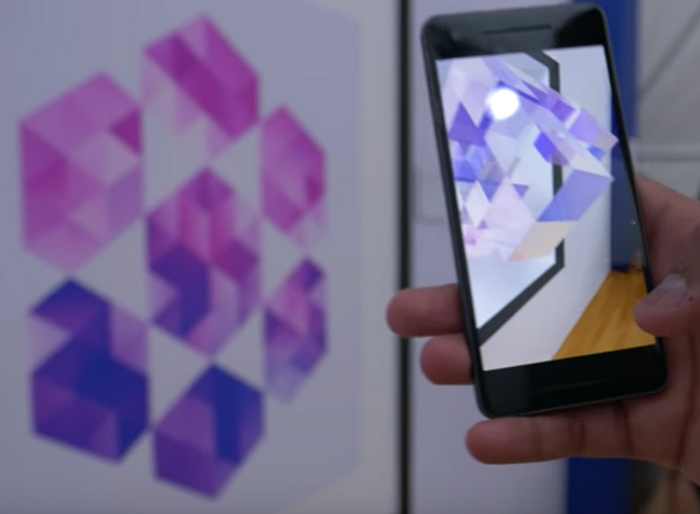
When I played around with the demo app I was able to easily load an image database with the arcoreimg tool. Unfortunately, I learned that it was not able to detect small images (less than 15cm x 15cm) in part due to the current lack of camera auto-focus in ARcore.
The demo also showed that the ARcore image detection is much less flexible than ML-based image detection; the real-world objects in the reference images must be almost completely flat and still to be detected at all.
Google does provide best practices for selecting reference images (less repetition is better) and even a tool that rates the quality of your images for detection; however, I’d love to see them switch to a fully-blown ML model for image recognition, if that’s possible given the reliance on mapping flat planes to place the virtual objects.
Regardless of these early drawbacks, it’s easy to see how this feature will be used extensively for advertising, education and points-of-interest. With the added ability to add reference photos at runtime the possibilities are almost limitless.
MLkit
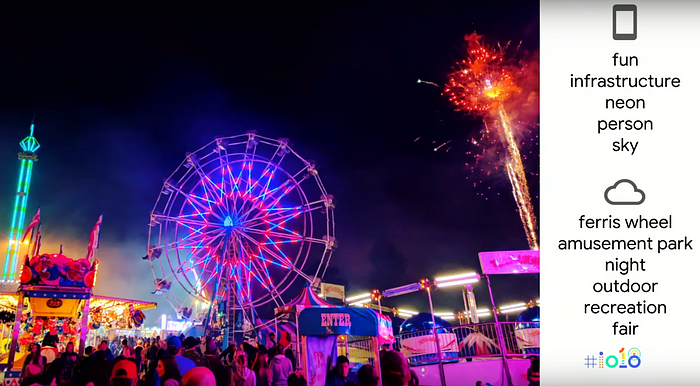
MLkit takes the existing Mobile Vision APIs such as text recognition, facial detection and barcode scanning and re-packages them with the ability to run either on-device or in the cloud as part of Firebase. The tradeoff between on-device and cloud image labelling can be seen below, with the higher accuracy in the cloud offset by slower user experience caused by network latency. The API is really nice in that the code for running on-device is almost identical to that for the cloud.
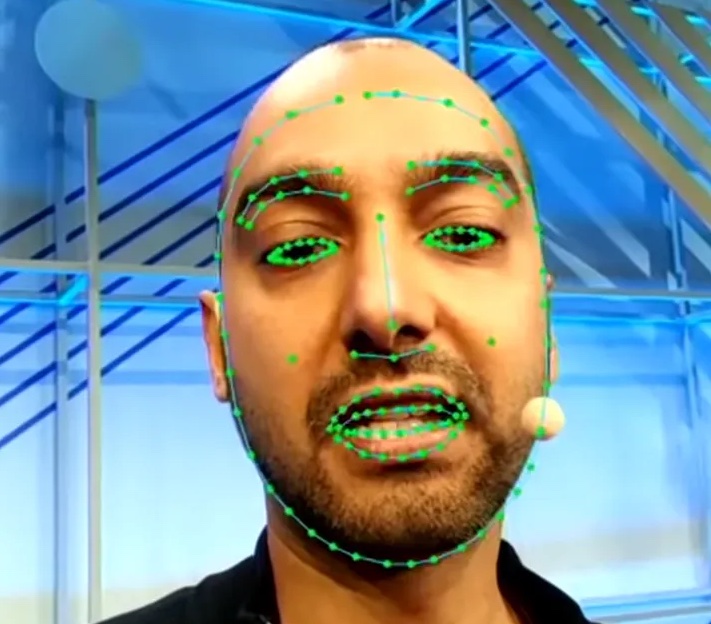
The MLkit feature I’m most excited about is Face Contours, which maps over 100 data points from the user’s face and opens up numerous possibilities including enhanced security and augmentation. This is not yet available and no release date was mentioned.

Tensorflow Lite
The awesomeness of Tensorflow Lite, Google’s mobile-optimised open source ML framework, can be summarised with four points:
- It optimises your Tensorflow models in a way that drastically reduces file size but maintains most of the accuracy. It sounds easy but this a very active area of research at Google; you can read about the science driving model optimisation in the Tensorflow Lite session.
- The way we package and distribute Tensorflow Lite models has been improved as part of efforts to keep APK size down. The new Android App Bundle allows users to download only an optimised core module from the Play Store and add features on the fly as they are needed. The same concept is applied to apps using custom Tensorflow Lite models, where the model resides in Firebase and is fetched when needed. We can also A/B test different custom models using remote config. Note that a “custom” model is not necessarily built from scratch; there are dozens of pre-built models available on the Tensorflow hub that can be retrained for a specific purpose.
- Tensorflow Lite uses the new Neural Networks 1.1 API, giving us hardware acceleration out of the box on devices with dedicated ML chips like the Pixel 2. This is another great abstraction layer that makes it fast and easy for us to use ML models on mobile devices.
- Currently we are limited to on-device inference (predictions) from existing models, but the Tensorflow Lite roadmap reveals that advances in dedicated mobile ML chips will soon allow on-device training of models. This opens up all kinds of possibilities for models to evolve and learn user-specific patterns.
Tensorflow Debugging & IDE
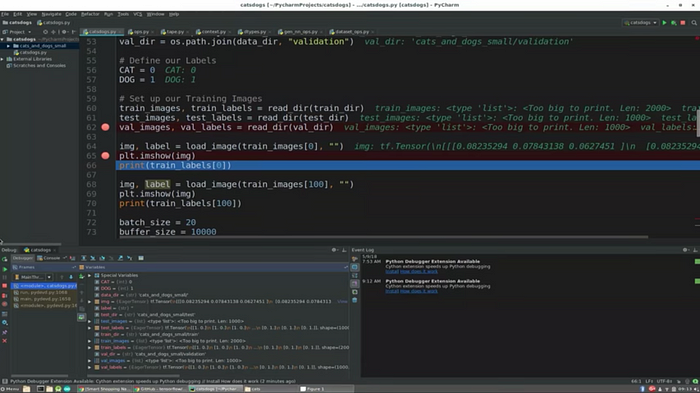
When I started using Tensorflow I not only had to learn Python but go from working in a nice IDE like Android Studio to a text editor! Thanks to something called Eager Execution, users can now run Tensorflow code in JetBrain’s Python IDE (looks just like Android Studio) and set breakpoints for debugging. What was once so foreign now feels normal.
Latent Space ML Models
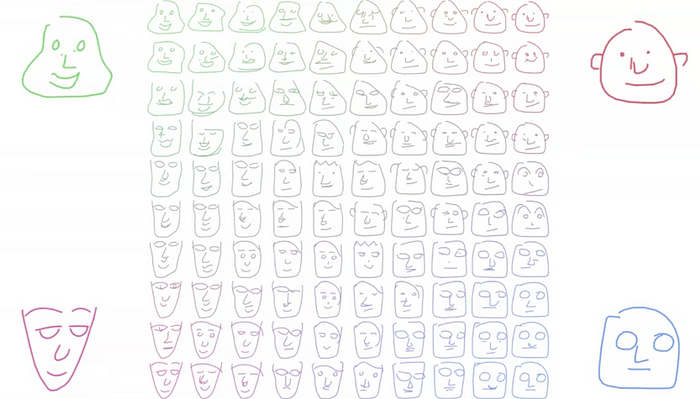
Some of the recent advances in ML relate to the ability for models to transition from one state to another in a logical manner. In other words, they learn general strategies for creating something and apply those strategies with varied weightings across a number of intervals.
For example, in the image below a human drew the four faces that appear in the corners; a latent space model drew the faces in-between — in not one but two dimensions! There’s something eery about the way the model has interpreted the latent space between each original image.
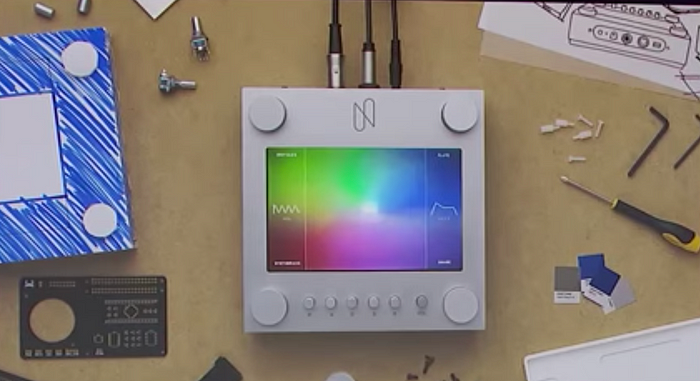
This exact concept is put into practice with an open source music synthesiser called Nsynth Super that aims to create completely new instruments and sounds from the intersection of numerous existing instruments. Like the original faces in the corners above, original instruments are sampled and mapped to the corners of the synth, with totally new sounds cropping up in the spaces in-between.
Another cool demo involves two very different drum patterns, which are connected by the open-source Magenta latent space model in a way that can only be described as seamless. This example really highlights how anything that can be described using a pattern can be modelled and enhanced using ML.

Real-World Copy & Paste
You know when you’re interacting with something non-digital like a book and you want to search for a word or copy some text but can’t? This happens to me all the time. Google Lens now lets you do that in real time using ML-driven OCR technology. Finally something useful from Lens.

Predicting the Future
There are several other cool things happening in the ML and AR spaces, including Cloud Anchors for collaborative AR experiences and the ability to run Tensorflow Lite on IoT devices like the Raspberry Pi, but the items above struck me as the the most interesting or useful in the near term.
As it becomes easier to build and deploy ML models, we might see companies leveraging their IP, data, logs and analytics to create domain-specific models that are not just used in digital products but also to drive and improve internal systems. They could even provide a revenue stream through public APIs (model-as-a-service, anyone?).
If you would like more information, I’ve put links below to all the videos that inspired this blog post.
*Note that I’ve intentionally avoided mentioning Google Duplex and the real-time AI phone conversation as it’s already been covered extensively. The cynic in me thinks that Google showed the Duplex demo in order to alpha test the public’s reaction and reduce the amount of cultural lag that occurs with these technological advances.
Links
Get started with TensorFlow’s High-Level APIs
ML Kit: Machine Learning SDK for mobile developers
Advances in machine learning and TensorFlow
 App Kitchen