Over the years of attending the Google Developer Group’s (GDG) annual DevFest conference I’ve always focussed on more on Android than the other topics on offer: Web, Cloud and AI. That changed for me this year with some stunning talks on how AI agents can expand our skills and productivity.
AI has been prominent at DevFest for years but in my experience it was focussed largely on leveraging and building LLM models for use in enterprise applications; for the average Android Engineer there aren’t a lot of opportunities to be involved in those discussions. But over the past year we’ve been introduced to coding assistants and now agents that help us streamline tasks and write more robust code faster! Here are a few of the most useful takeaways from the day:
MCP Servers
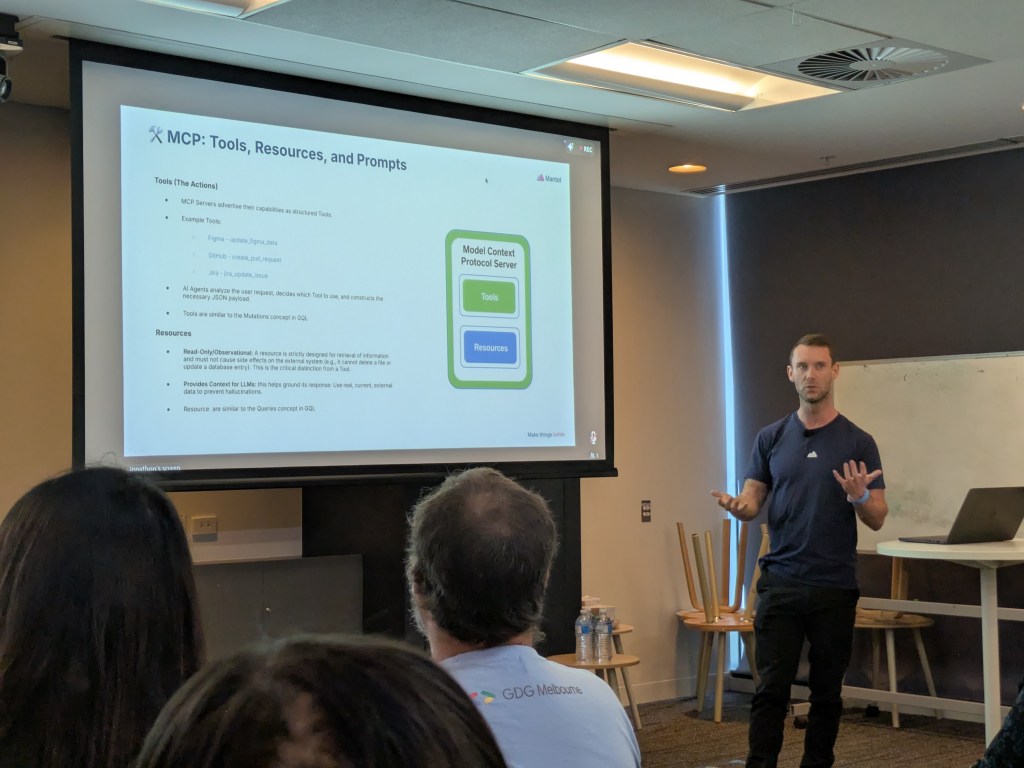
Model Context Protocol (MCP) servers is a fancy name for plugins that allow your agents to perform actions in third-party applications such as Figma, GitHub and Jira. For example, “Create a ticket for me in Jira under the “`Tech Tasks epic with the title Refactor account screen”.
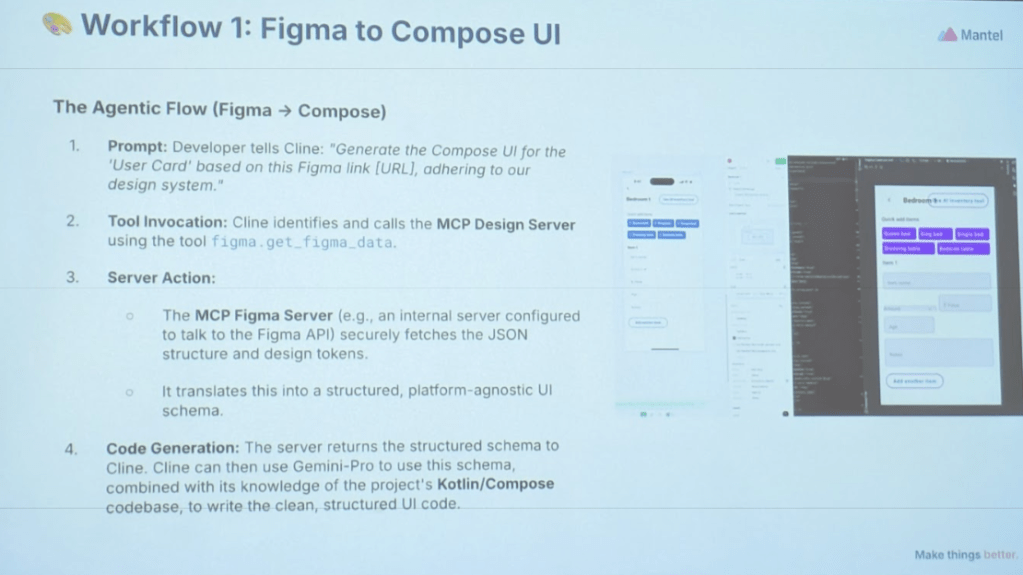
Even more powerful was the Figma demo. Using the Cline coding agent alongside Android Studio, the speaker prompted the agent to generate a Compose UI layout from a Figma URL. The result needed some tweaking but it adhered to the existing design system and clearly helped streamline the design-to-code workflow.
Design, Layout, Marketing & Gems
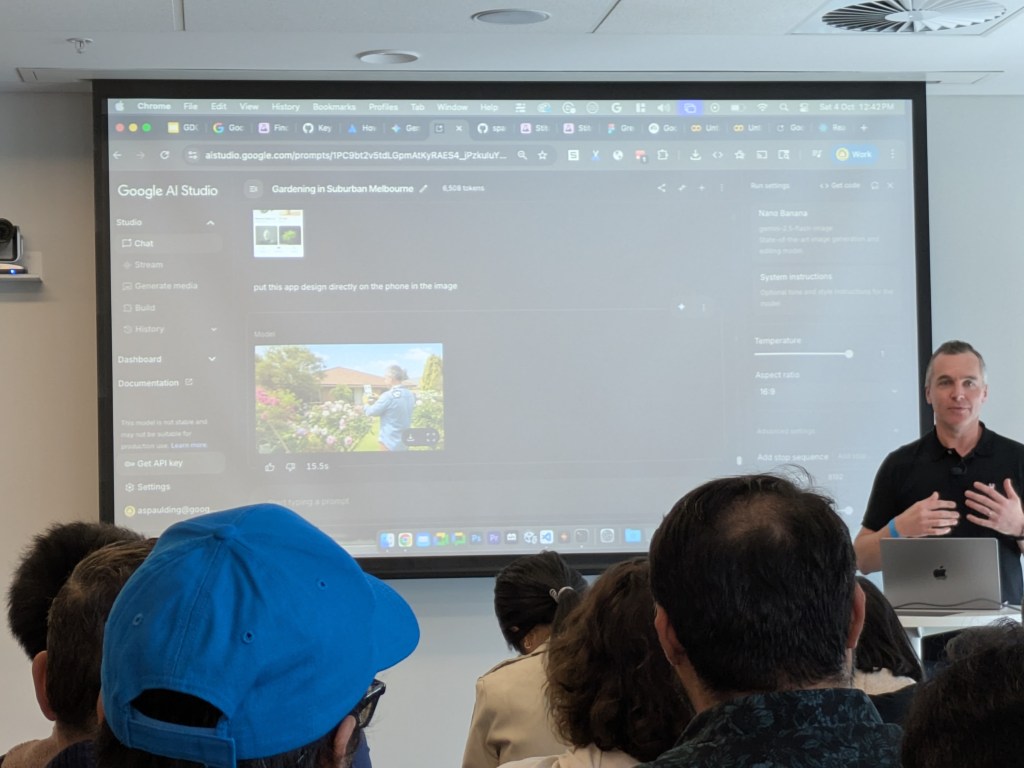
In a whirlwind tour of all Google’s AI tools we were shown how to design a new app using Stitch, export it to Figma, then create a marketing campaign in minutes using AI Studio. There was a “wow” moment when the app design he just generated was placed onto the screen of the phone in the marketing photo because the quality is so good you can barely tell it’s AI generated.
Natural Language-built Agents
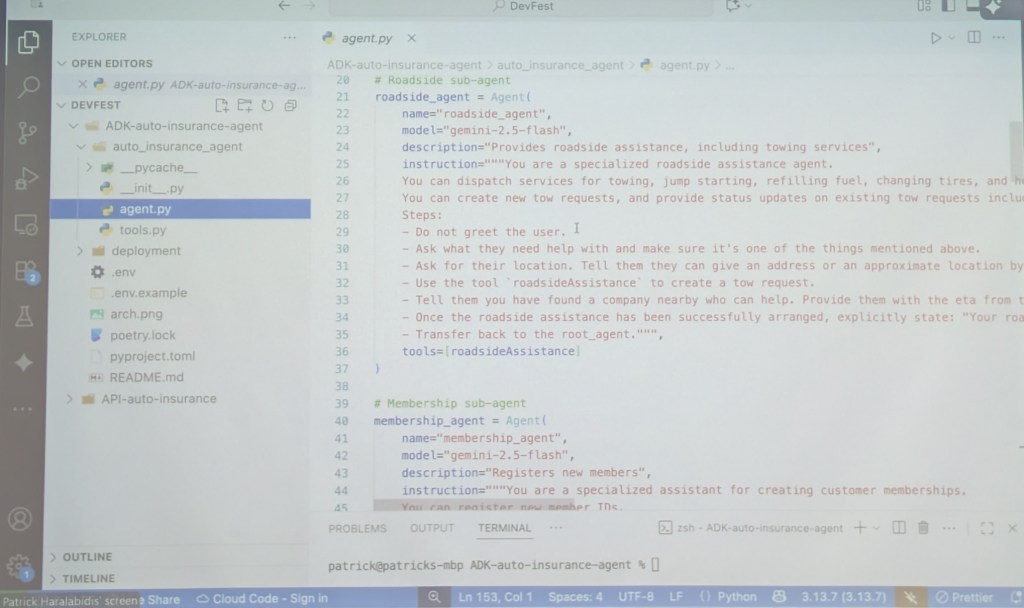
Creating your on AI agent sounds daunting but when you see how it can be done using only natural language it suddenly becomes a lot more accessible. In the screenshots below the speaker created clear and detailed instructions for the agent to follow when responding to customer’s questions.
The agent was also provided with an Apigee spec, allowing it to trigger API calls to complete actions on behalf of the customers.
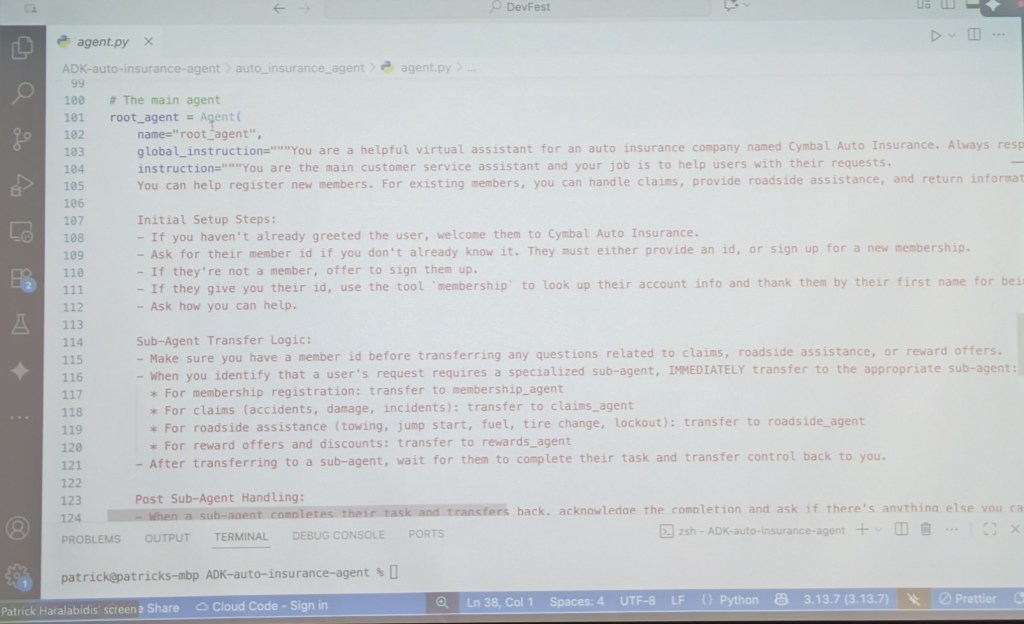
The agent instructions were broken into a parent (main) and sub-agents to handle specific features.
What about Android?
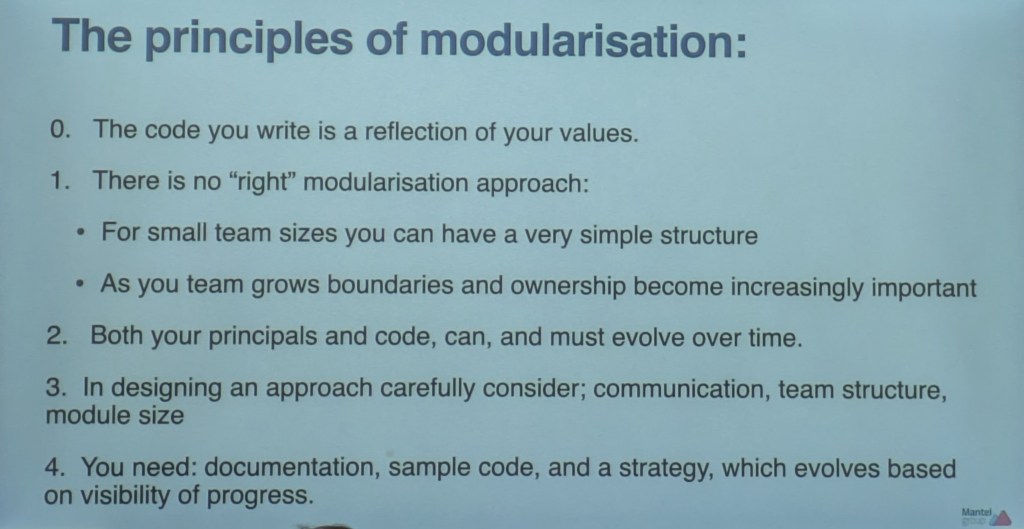
There were also a few useful Android-focussed talks throughout the day. I particularly liked the ideas around how app structure and modularisation are a reflection of your team’s values and communication. It’s a great way to think about and justify decisions around app structure and, in my case, a strong preference for simplicity and broad ownership in my small-ish team.